SocksCap64
SocksCap64 supports both TCP and UDP proxying.
Installation
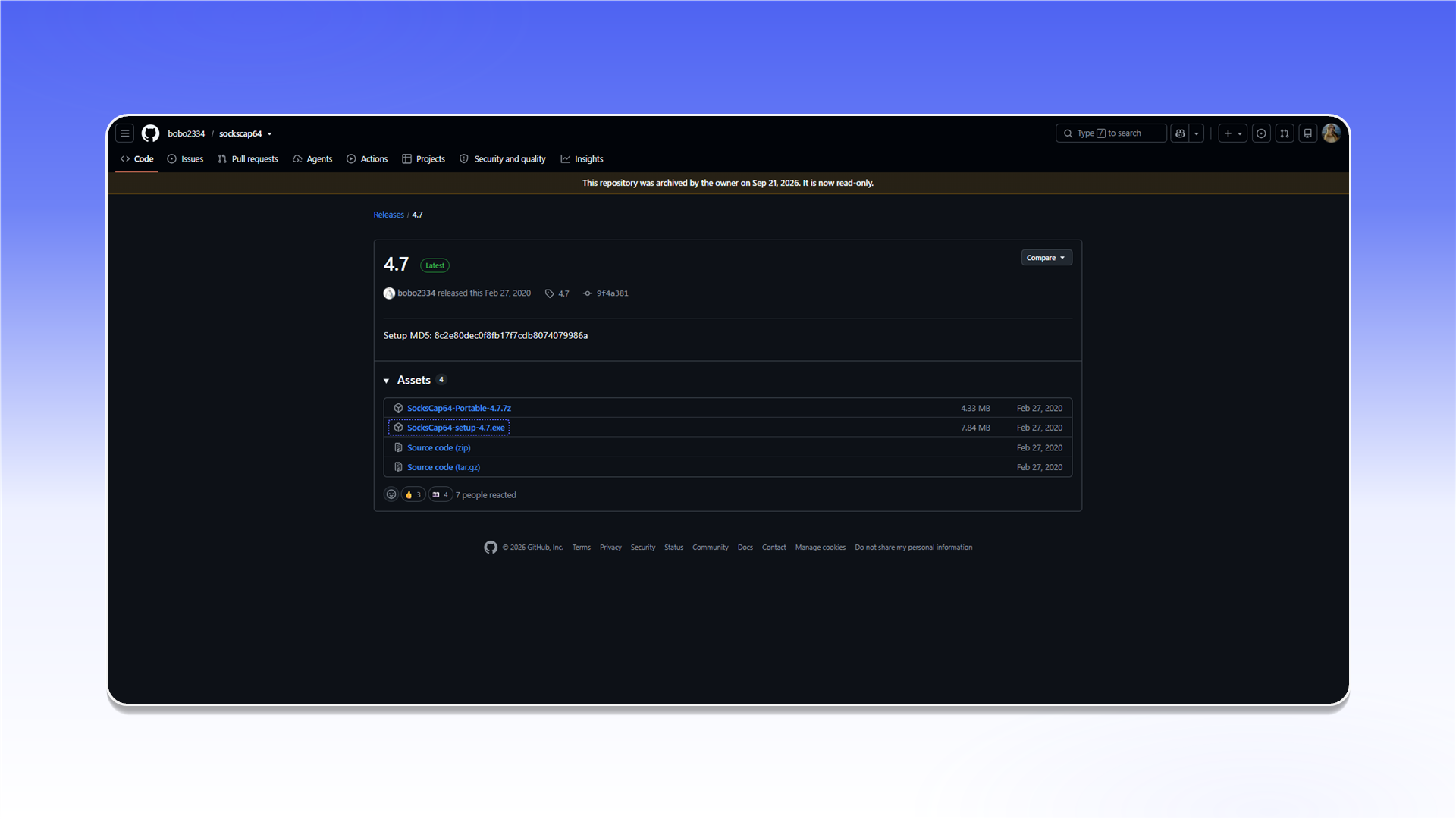
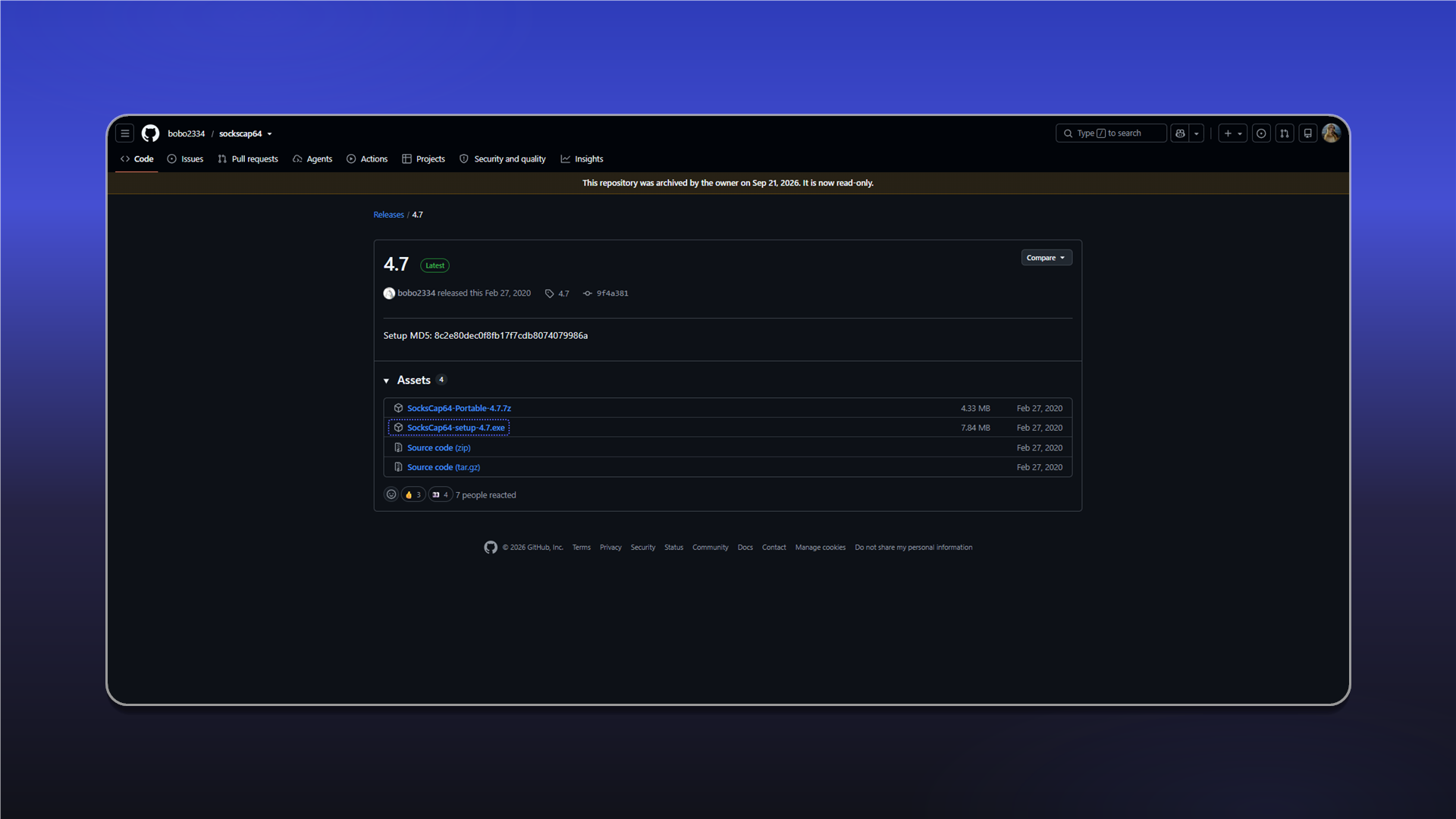
Download SocksCap64-setup-4.7.exe from the release page, install it, and run SocksCap64 as administrator.
Add a proxy
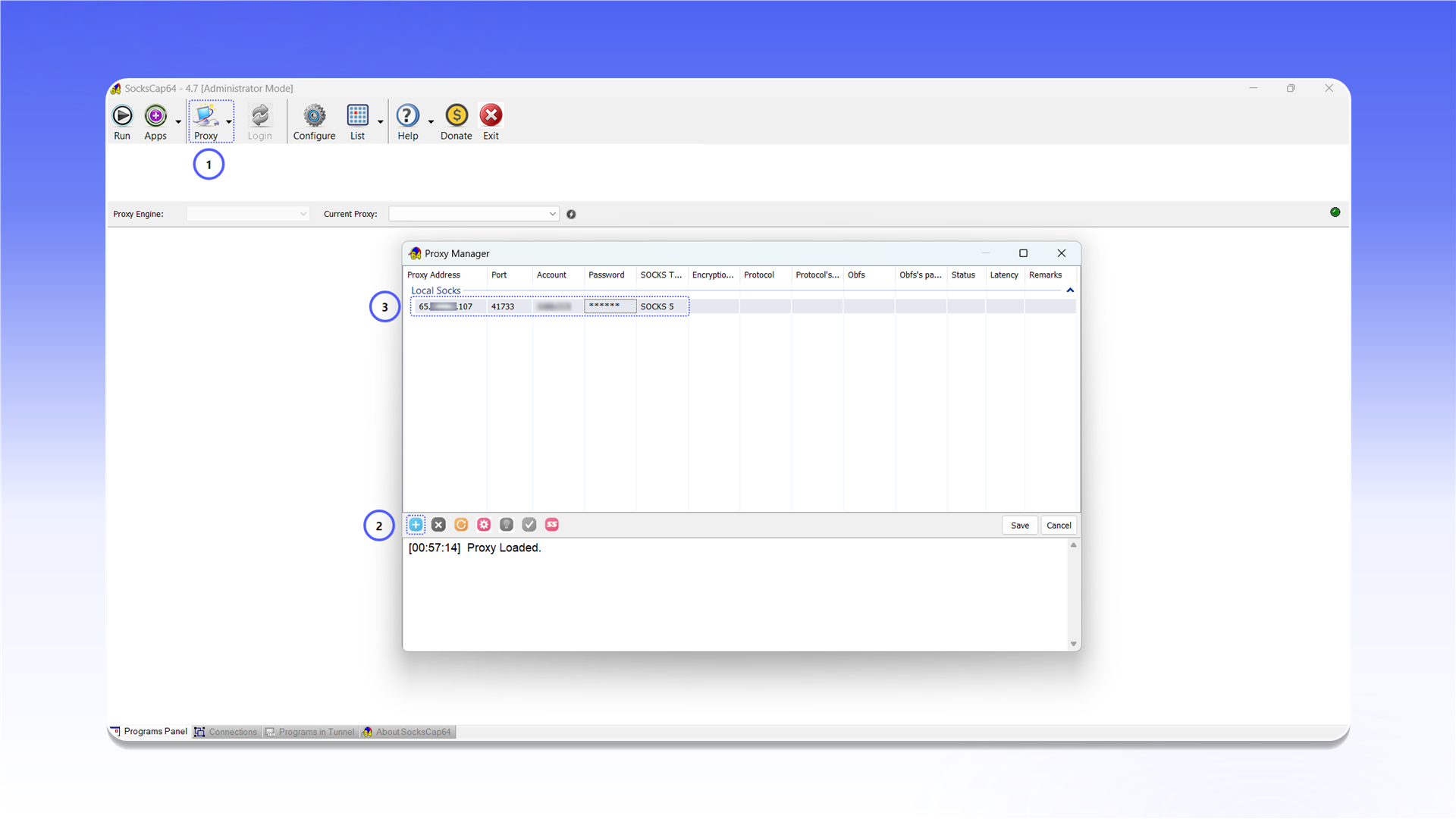
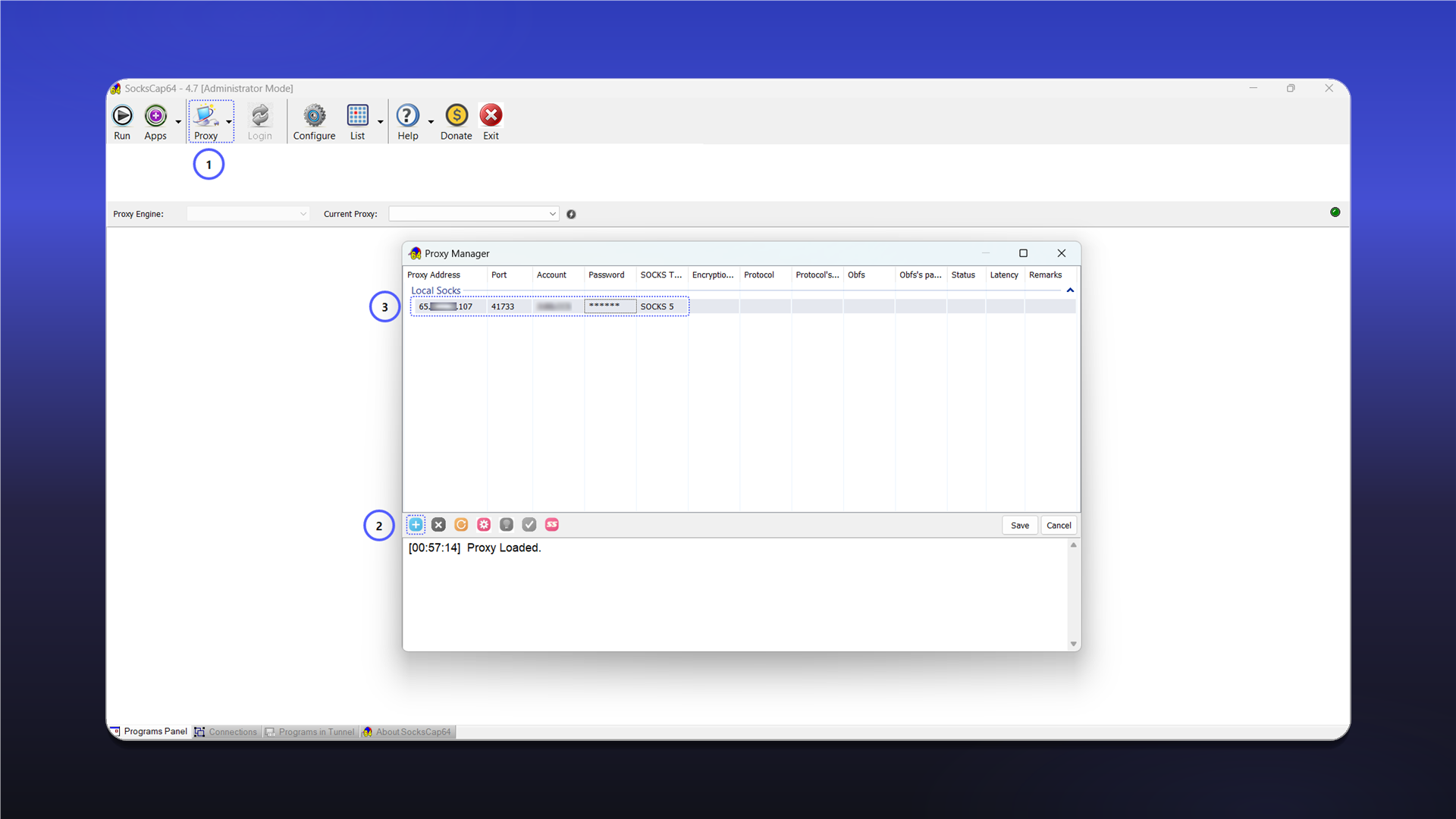
- Click
Proxyin the top bar. - In
Proxy Manager, click+. - Enter the connection details:
Proxy Address: the server IP address or hostname;Port: the connection port;Account: the username;Password: the password;SOCKS Type:SOCKS 5.
- Click
Save.
See the general setup guide for help finding the connection details.
Add an application
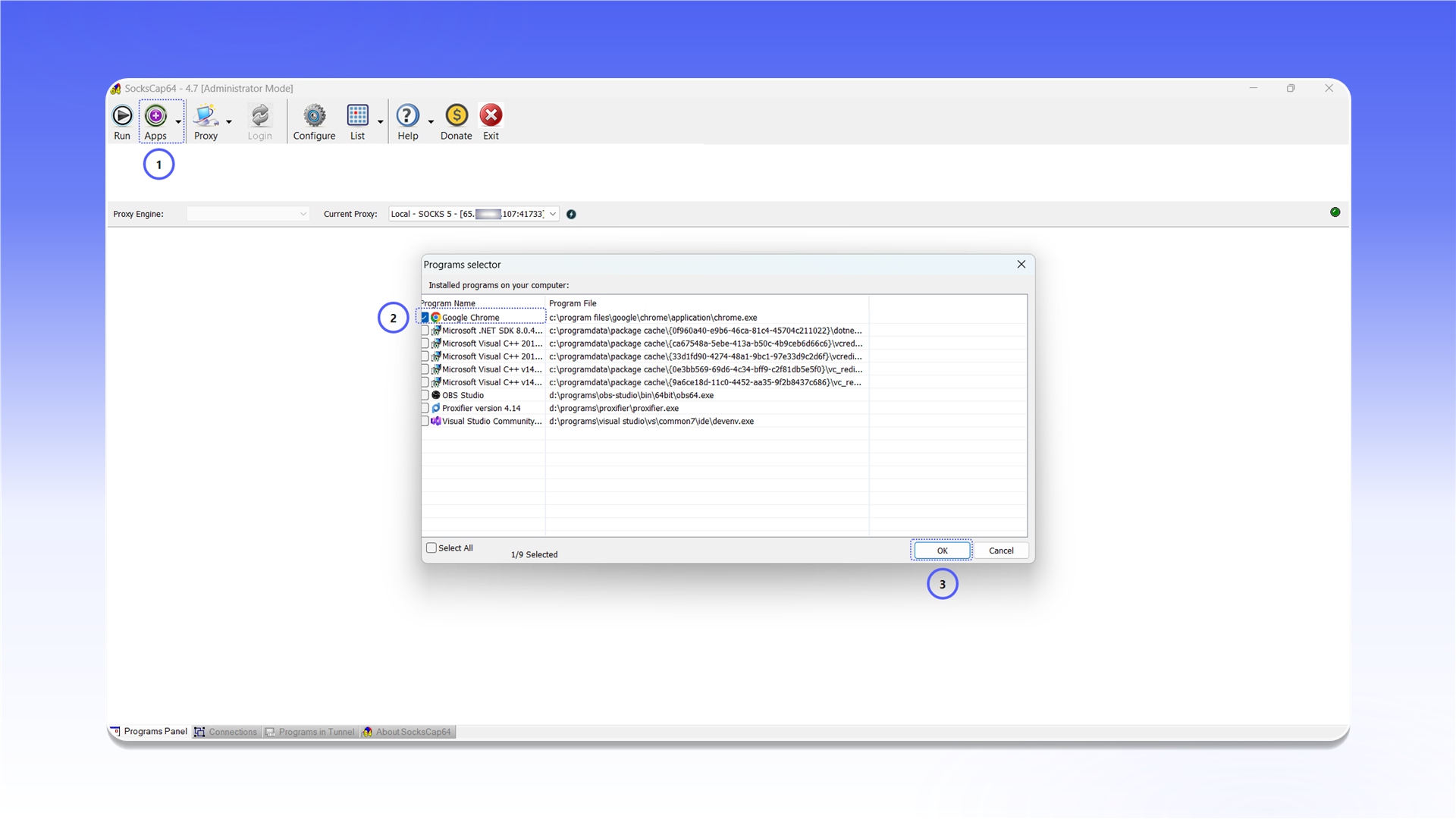
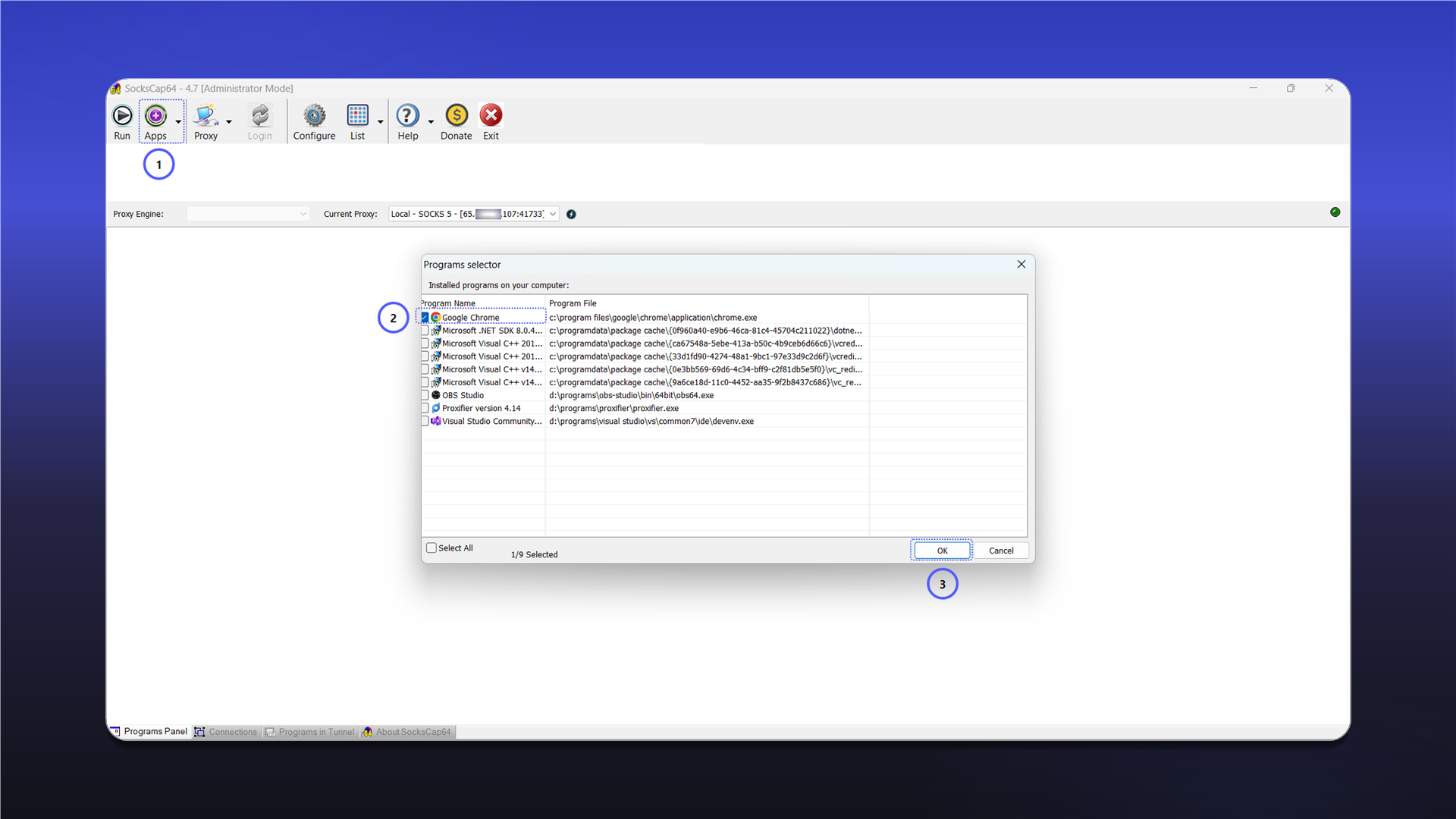
Click Apps, select the required application in Programs selector, and click OK.
Run through the proxy
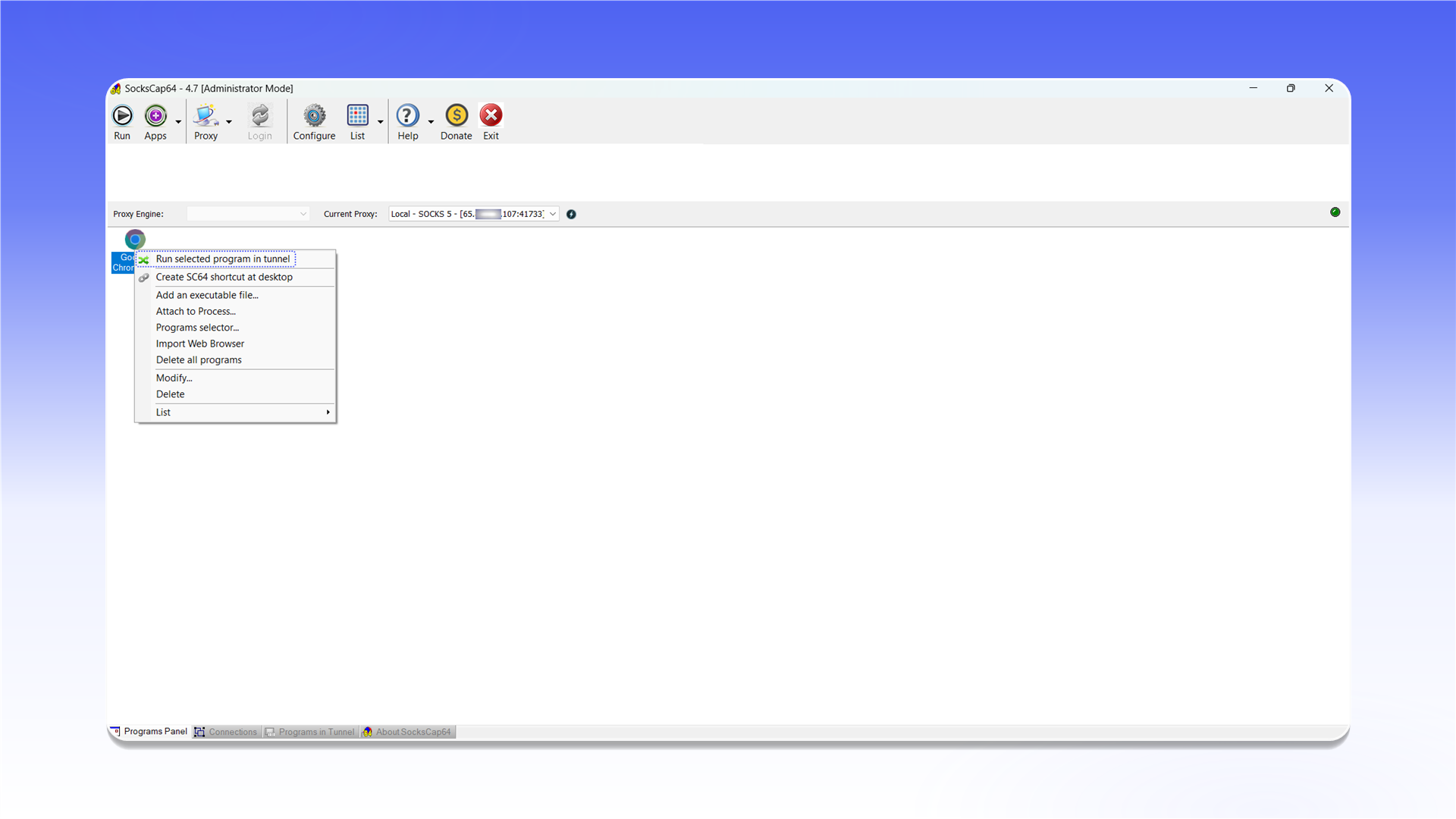
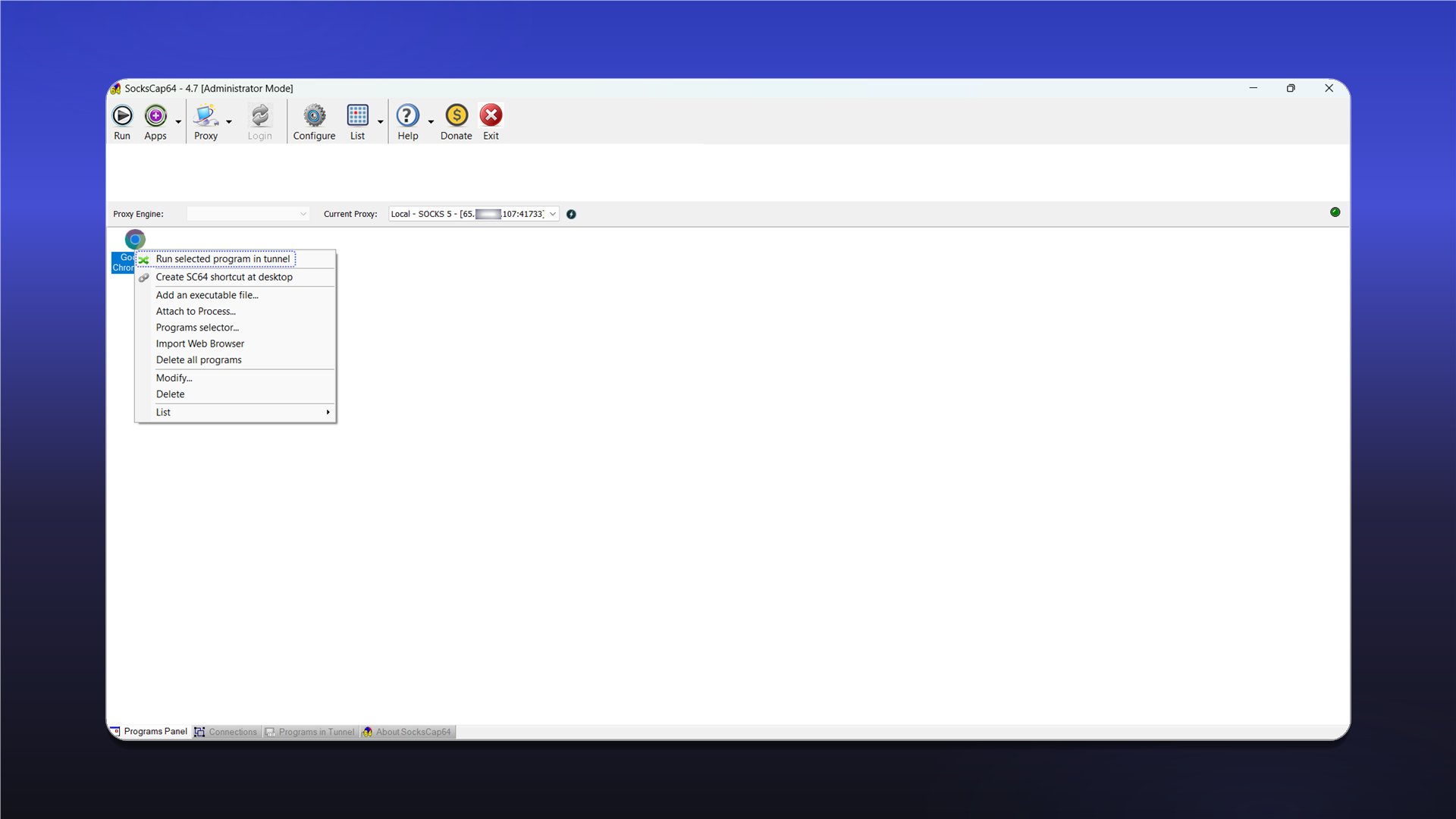
Right-click the added application and select Run selected program in tunnel. The application will start through the configured SOCKS5 proxy.
Last updated on