Order search (Product tag)
You can assign a custom Product tag to each order. Tags make it easier to find an order by a recognizable name.
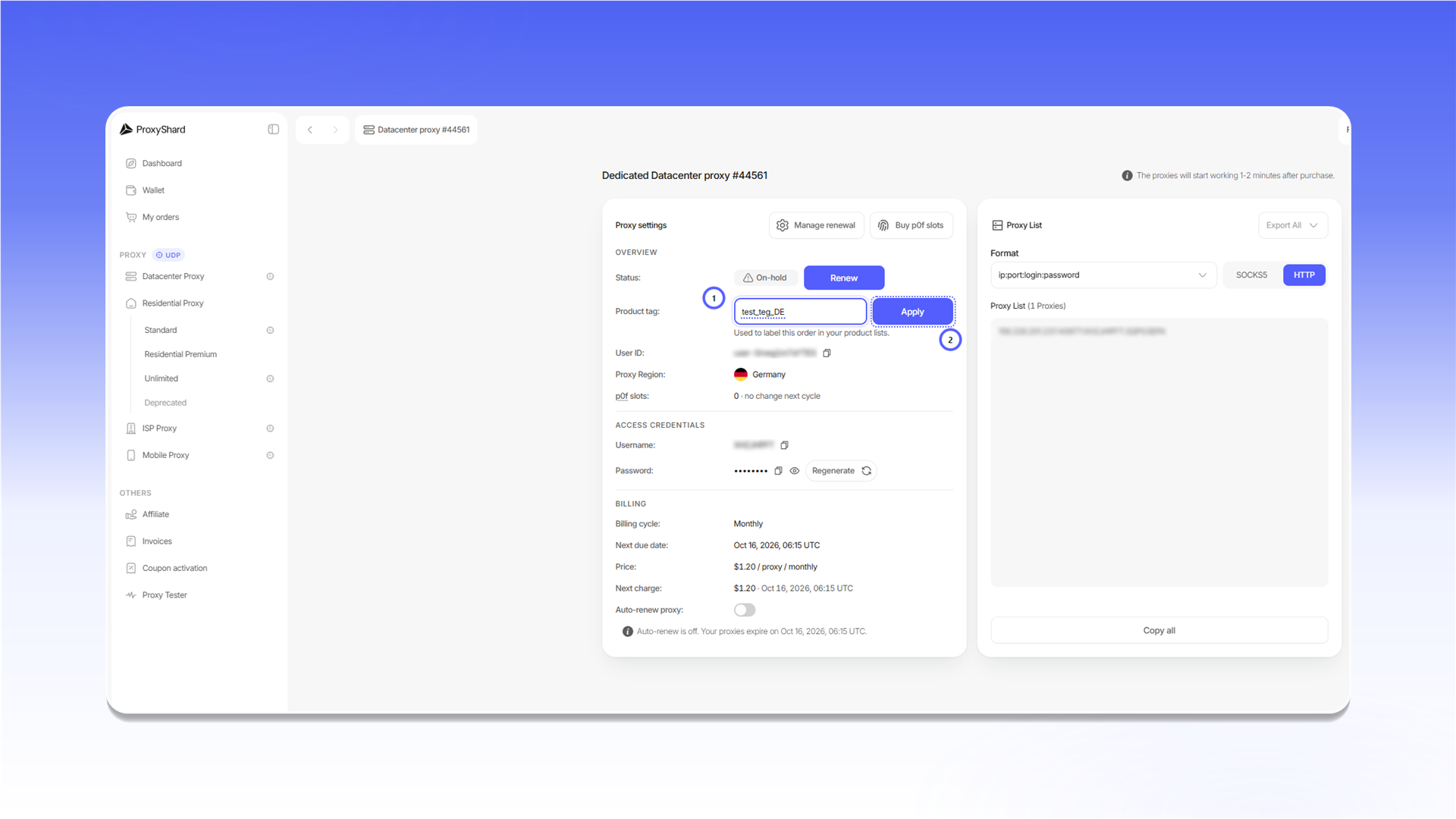
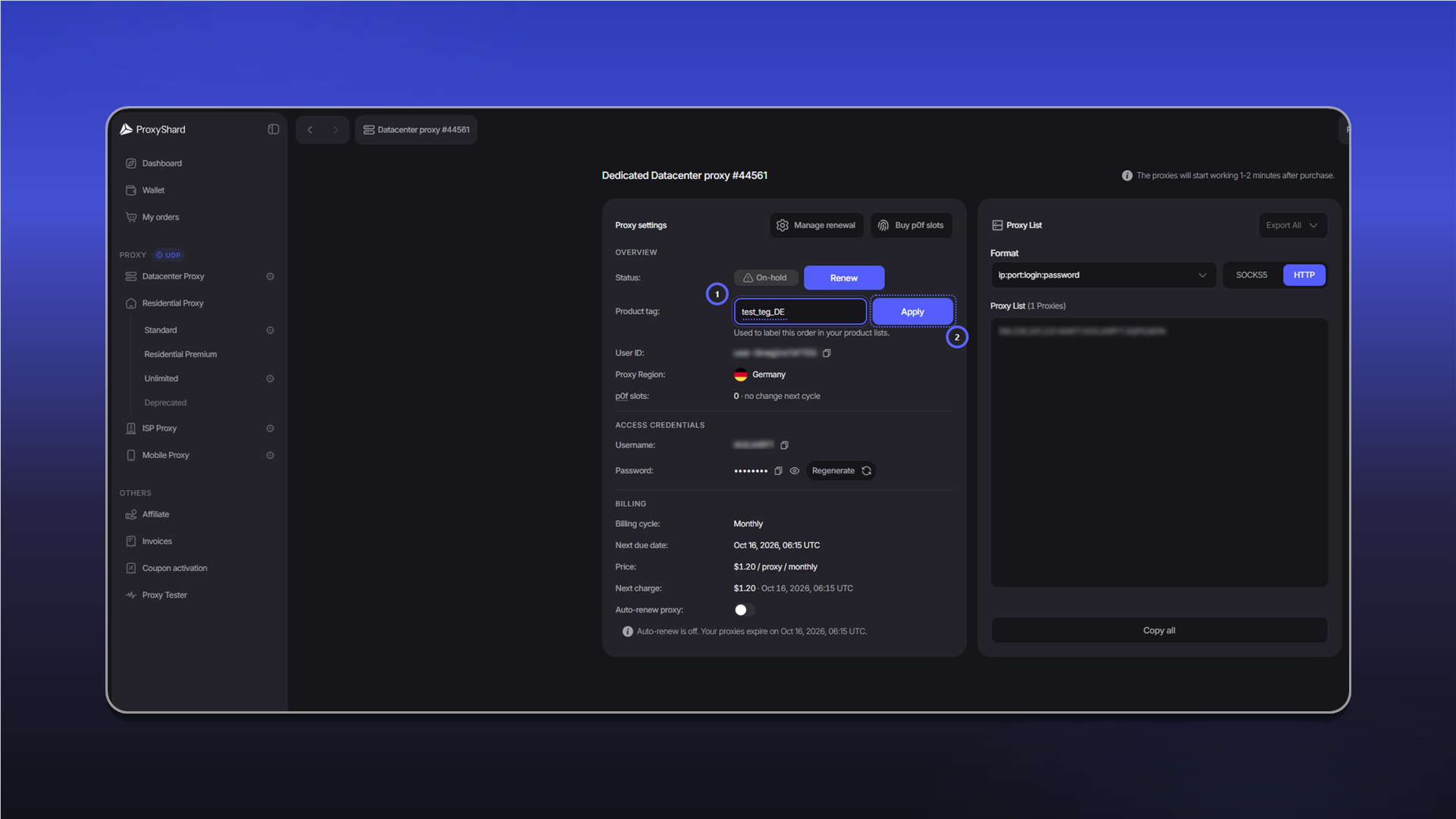
- Open the order and enter a tag in
Product tag. - Click
Apply.
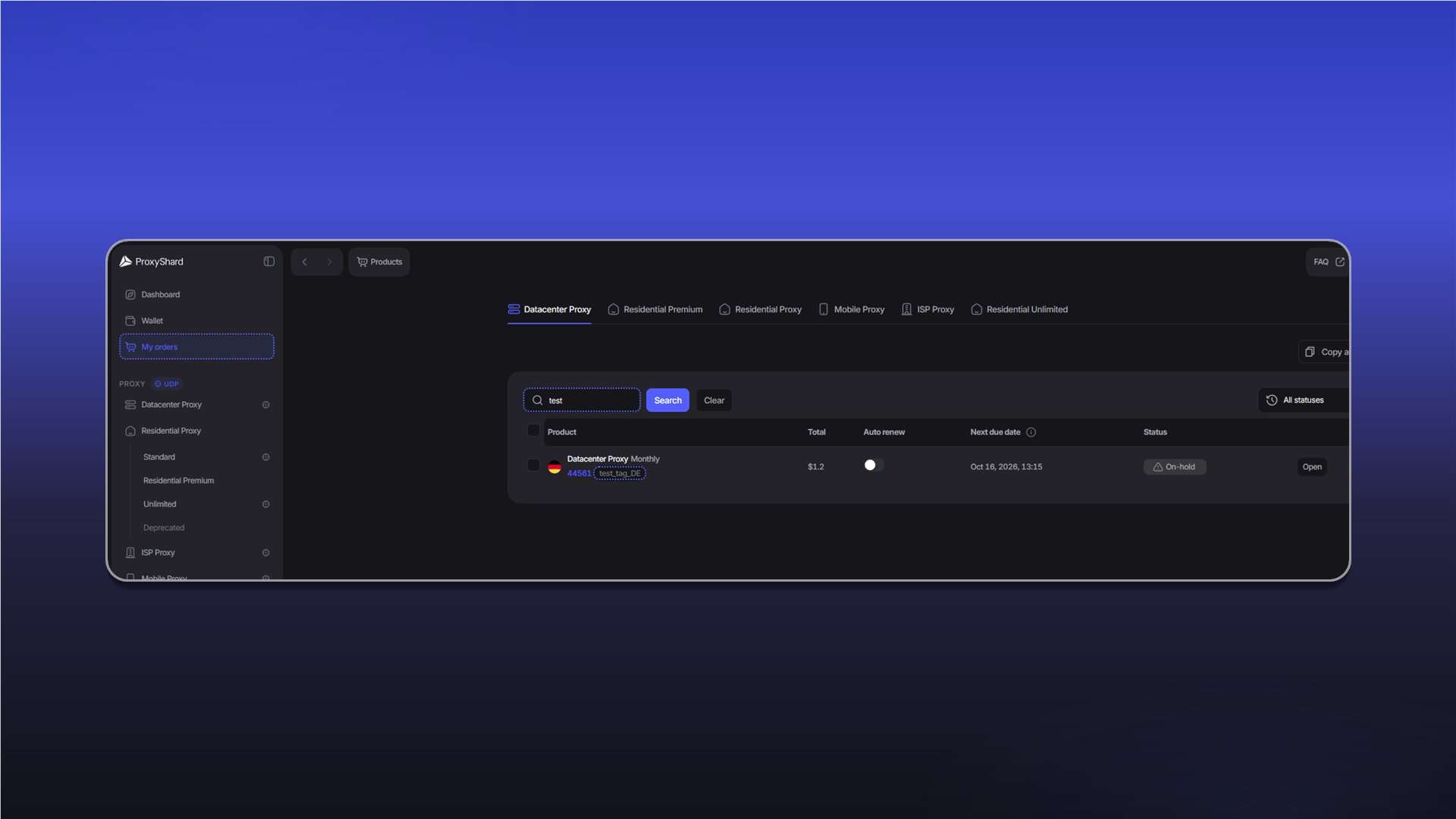
The assigned tag appears next to the order number under Active products.
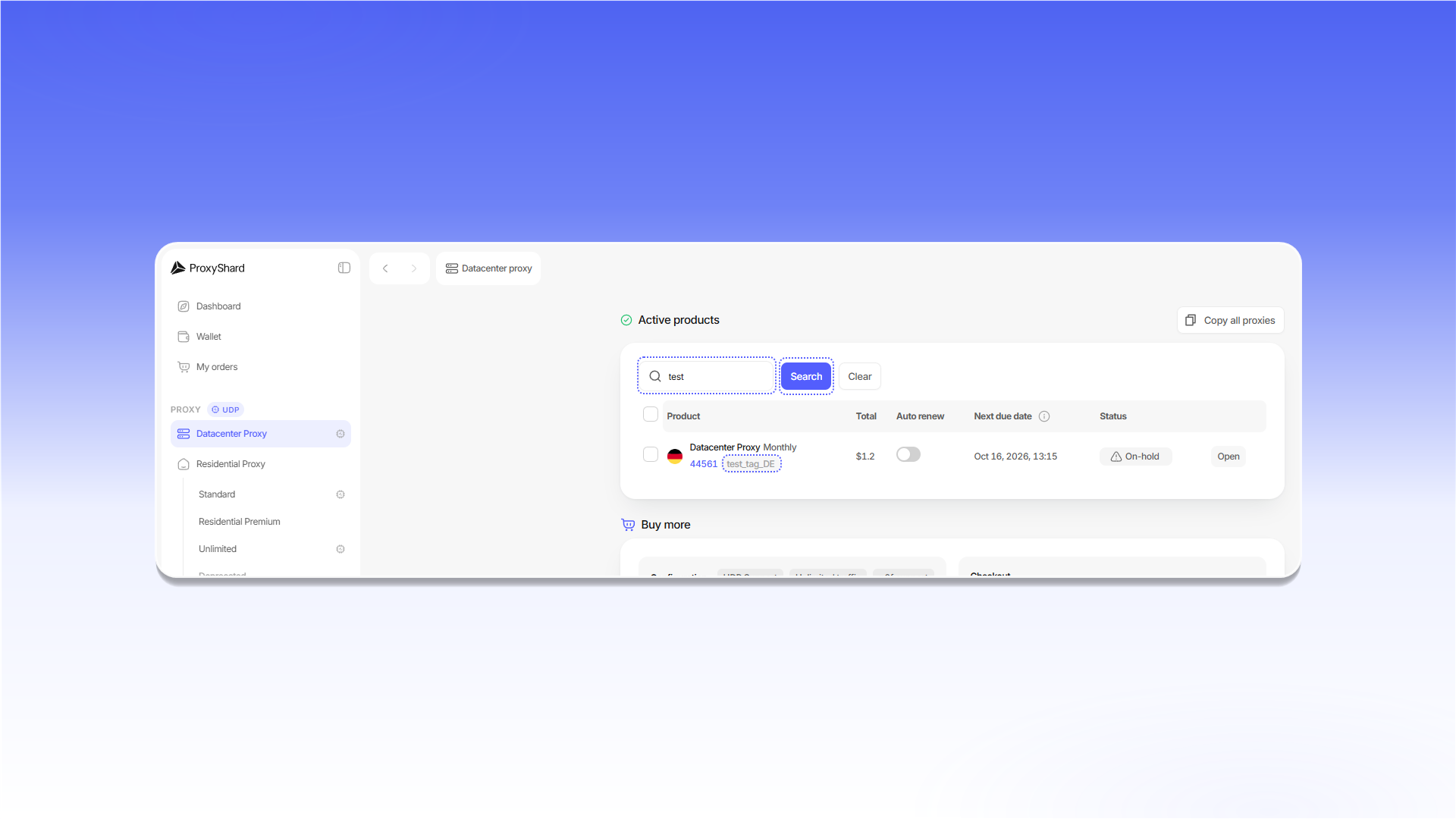

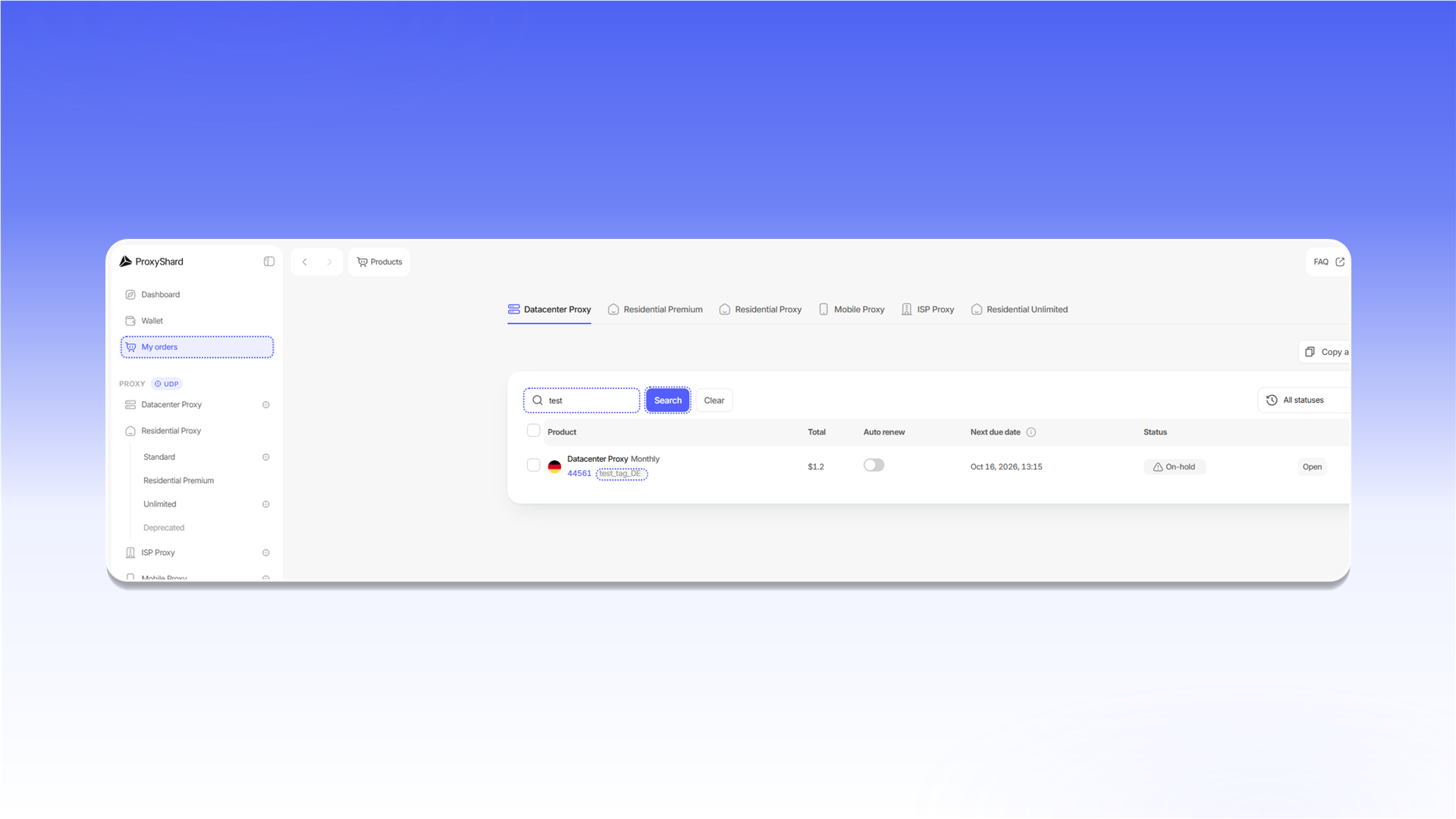
Enter the tag in Search and click Search. Search is available both on the selected product page and under My orders.
Last updated on