Mobile proxies
Mobile proxies are hosted on routers with real SIM cards. The type and quality of the connection are identical to ordinary mobile internet through a cellular operator - exactly like on your smartphone. They support UDP and offer a rich choice of locations and operators.
Mobile proxies work on any device. The name "mobile" reflects only the connection method via a SIM card, not the type of end device. They work equally well on a PC, a laptop, or in an antidetect browser.
A specific product - for those who understand why they need it. Traffic goes through a real SIM card, so speed may vary - this is normal, not a malfunction. If you are not sure whether mobile proxies fit your task, ask in live chat or consider ISP proxies (stable speed, home IPs) or Residential proxies (a large pool, many sessions).
1) Device fingerprint switching (p0f) is not available on all operators. See the full list of restrictions on the Restrictions page.
2) Not available to users in Russia without using a VPN.
Step-by-step purchase and activation guide: Purchasing mobile proxies.
Characteristics
| Parameter | Value |
|---|---|
| IP type | Mobile IPv4 |
| Sharing | No - one port per user |
| Traffic | Unlimited |
| UDP support | Available |
| p0f support | Available (not in all locations, see above) |
| Price | from $4 / day · from $55 / month |
Available locations
| Country | Operators |
|---|---|
| 🇺🇸 USA | T-Mobile (5G), Verizon (5G, Colorado) |
| 🇬🇧 United Kingdom | O2, Vodafone |
| 🇩🇪 Germany | O2, Vodafone |
| 🇫🇷 France | SFR (5G), Bouygues Telecom (5G) |
| 🇮🇹 Italy | Vodafone (5G), WindTre (5G) |
| 🇪🇸 Spain | Digimobil, Movistar (5G), Vodafone (5G) |
| 🇵🇹 Portugal | NOS (5G) |
| 🇳🇱 Netherlands | Ziggo (5G), Odido (5G) |
| 🇮🇪 Ireland | Vodafone (5G), Three (5G) |
| 🇵🇱 Poland | T-Mobile (5G) |
| 🇺🇦 Ukraine | Lifecell, Vodafone, Kyivstar |
| 🇲🇩 Moldova | Moldcell, Moldtelecom |
| 🇨🇦 Canada | Rogers |
| 🇮🇩 Indonesia | Telkomsel |
The list is regularly expanding. Up-to-date locations and pricing are on the purchase page Mobile proxy.
How to purchase
- Open
Mobile Proxy. - Select a country using
Country filter. - Choose the rental period in the card for the required operator.
- Click
Buy.
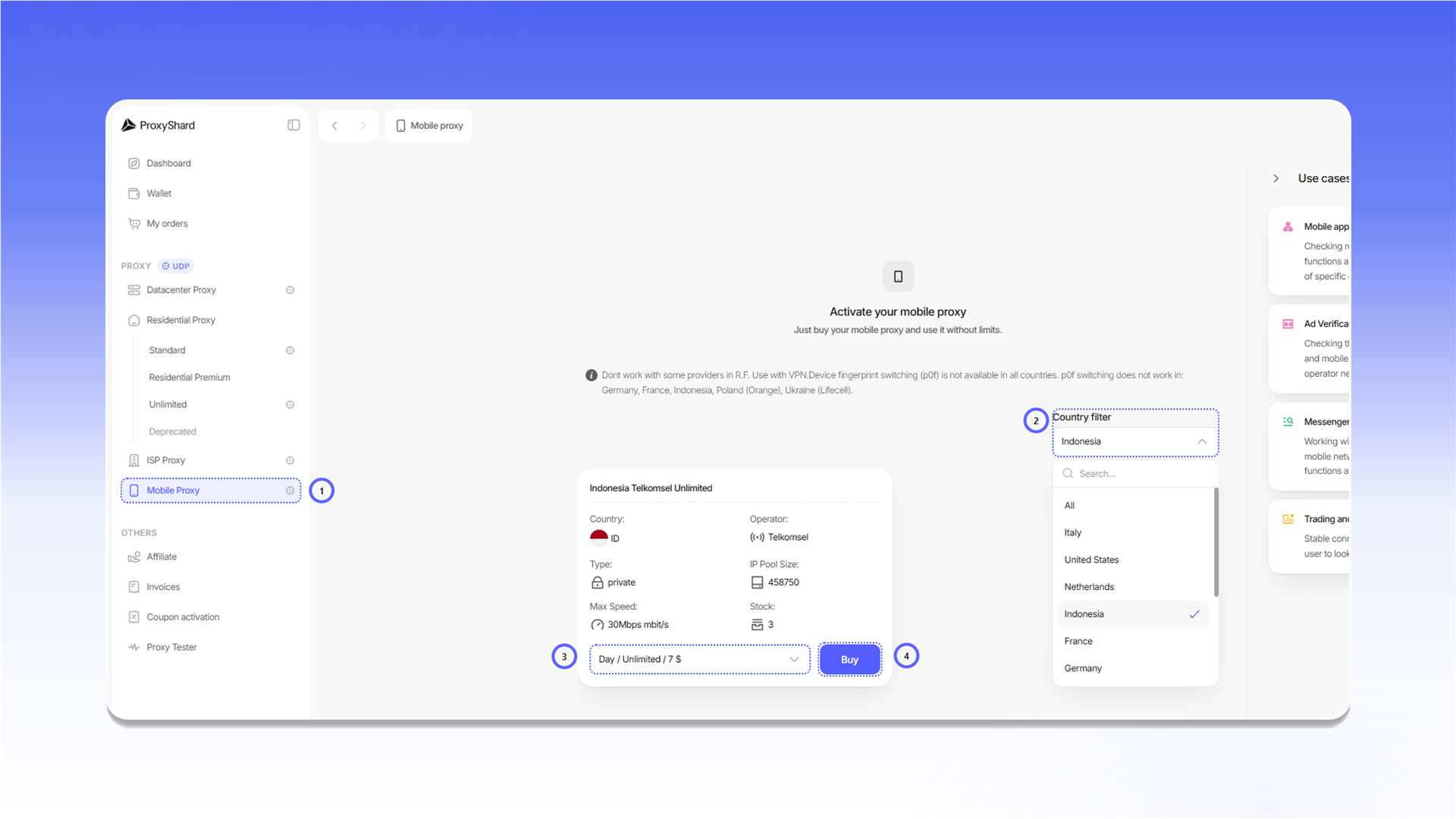
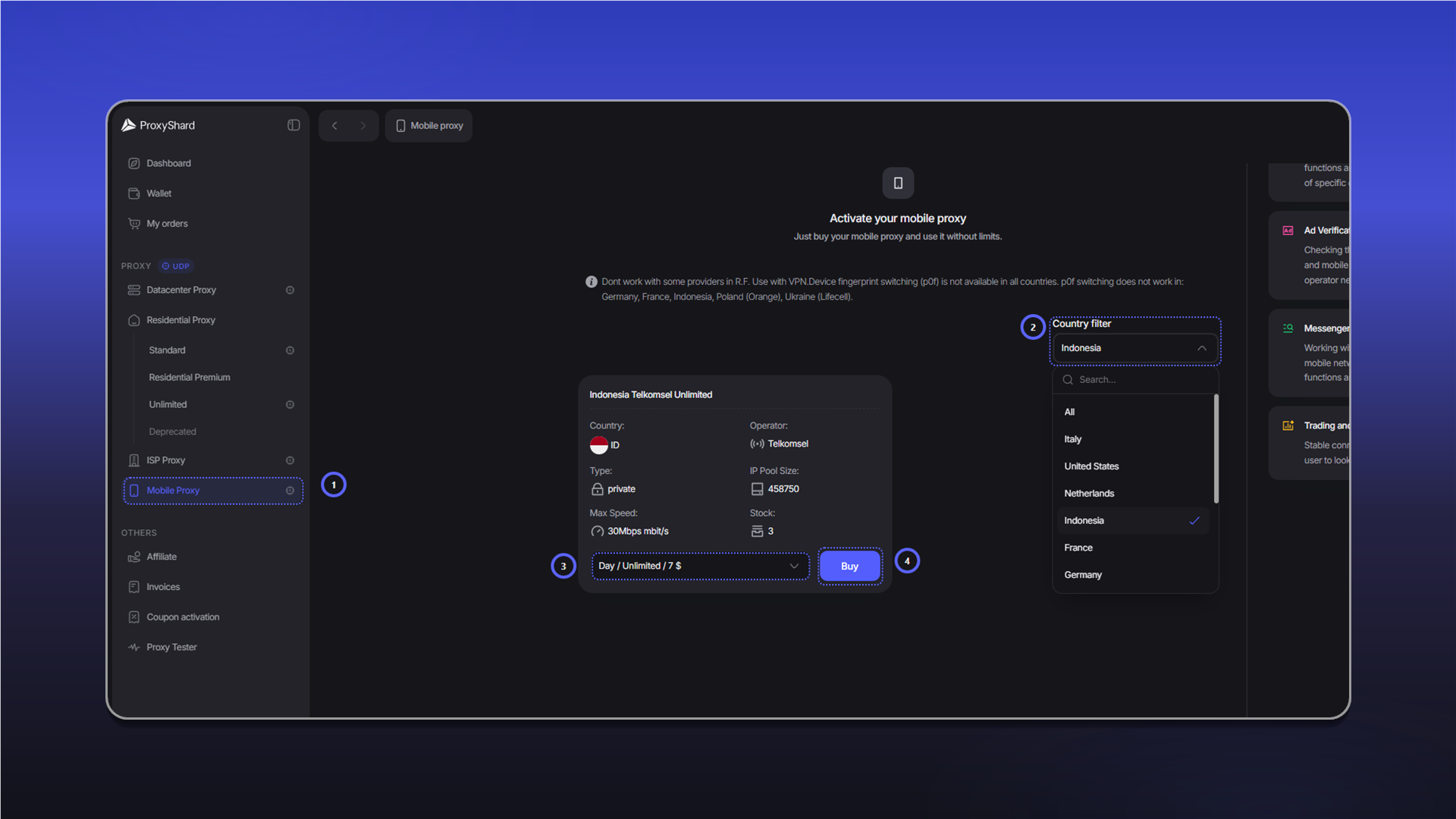
Payment, initial activation, and renewal are covered in Purchasing mobile proxies.
Order fields and controls
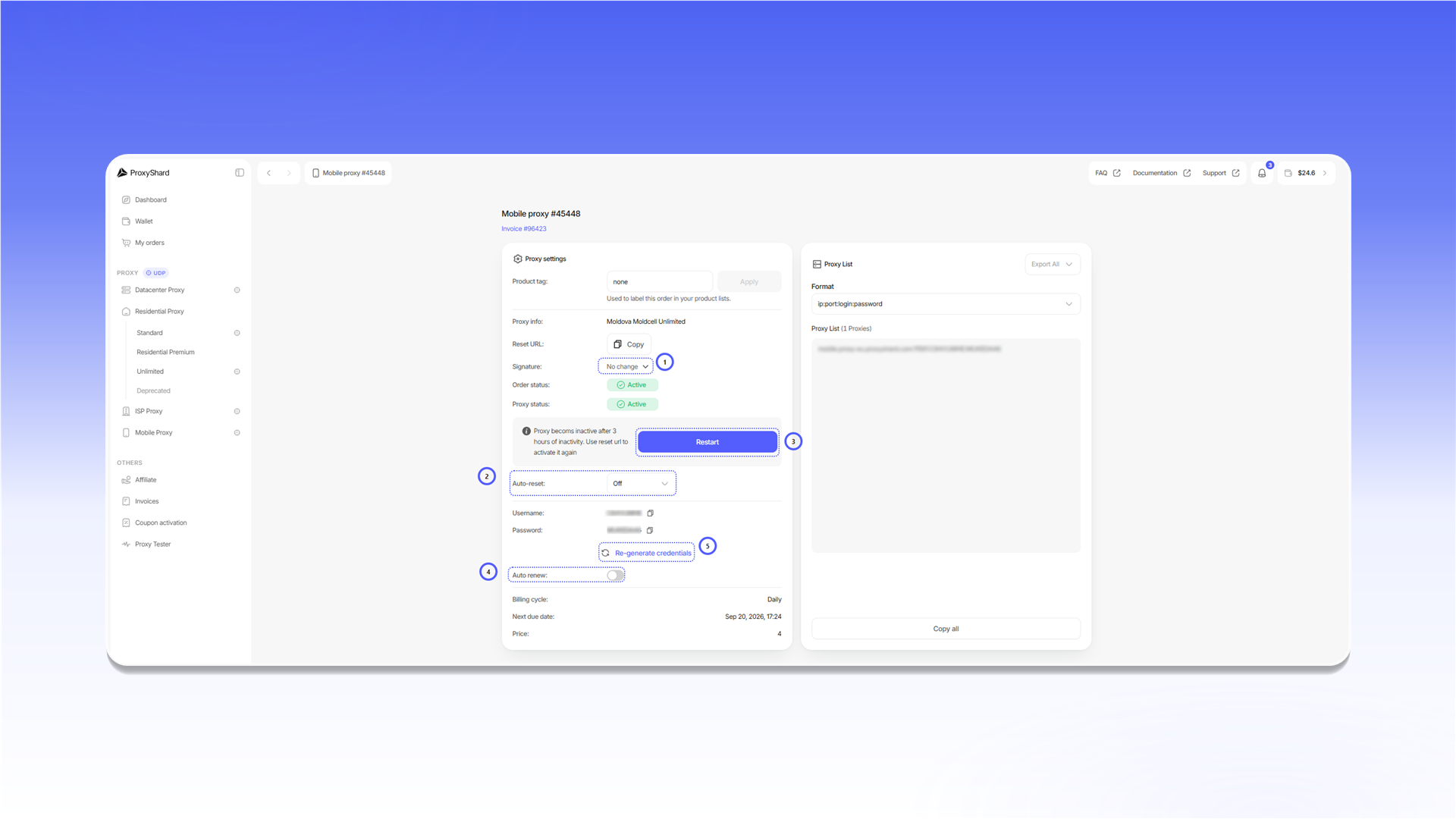
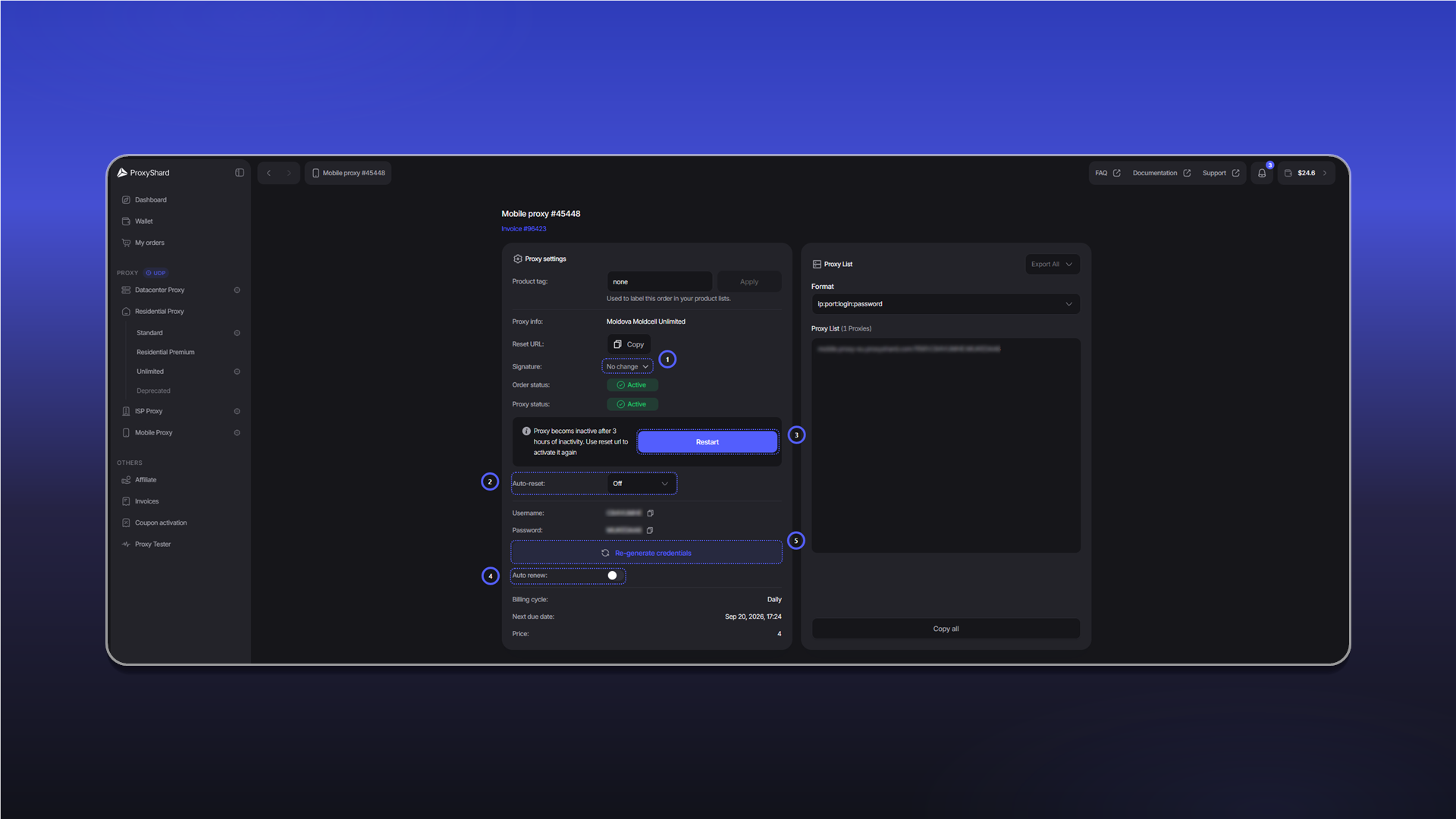
Signatureselects the network signature. Available values arew,w10,w7,linux,android,macos, andios. After changing the signature, clickRestart.Auto-resetrestarts the connection automatically at the selected interval.Restartactivates the port or changes its IP. You can perform the same action through your personalReset URL.Auto renewrenews the order automatically when the balance is sufficient.Re-generate credentialscreates new login credentials. Existing proxy connection strings stop working after this action.
Other fields:
Product tagadds a label that you can use to find the order in your lists.Proxy infoshows the country, operator, and plan type.Order statusshows the order state:Active,On-hold, orCanceled.Proxy statusshows the port state:ActiveorDisconnected.UsernameandPasswordcontain the login credentials.Billing cycle,Next due date, andPriceshow the rental period and next payment.- In
Proxy List, you can select the connection string format, copy the list withCopy all, or download it withExport All.
After purchase and after three hours without activity, activate the port using Restart or Reset URL. The proxy does not work while Proxy status is Disconnected.
Suitable use cases
Social media and multi-accounting, mobile ad verification, mobile ad checks, most crypto exchanges, Polymarket, testing mobile sites and apps, web scraping of mobile site versions, SEO monitoring of mobile results, e-commerce monitoring of mobile prices, geo-targeted content testing, travel scraping of mobile fares, brand monitoring in the mobile environment.
Pros and cons of Mobile proxies
Pros:
- Choice of a specific operator - connect through the exact cellular provider you need
- IP change via Reset URL - rotation no more than once a minute
- p0f support - available in most locations (see Restrictions)
- UDP support
- Flexible rental period - from one day to a month
- One user per port - one SIM card, one user
Cons:
- Possible speed drops when the operator's cell tower is overloaded - rare, but possible
- A complex product for beginners - we recommend checking with Support before purchase
- p0f spoofing on macOS / iOS reduces channel speed due to the complexity of the algorithm
- Dynamic IP - the address may change at the operator's initiative at any moment
- One session at a time - one port holds one IP. If you need to connect several devices simultaneously (not one after another, but at the same moment), buy a separate port or consider Residential proxies
See the setup guides for proxy configuration instructions.
Last updated on