Datacenter proxies
Datacenter proxies are designed for high-load tasks. They are hosted in data centers and provide high speed and stable connections.
Datacenter proxies, like ISP proxies, are issued to one user only: no sharing, meaning no more than one user per address and no hidden sharing. The addresses are IPv4 and also support UDP.
dashboard.shardx.comhttps://dashboard.shardx.com/en/datacenter-proxyStep-by-step purchase and payment guide: Purchasing Datacenter proxies.
Current product restrictions are listed on the Restrictions page.
Characteristics
| Parameter | Value |
|---|---|
| IP type | IPv4 |
| Sharing | No - one IP per user |
| Connection limit | 2,500 per IP |
| UDP support | Available |
| p0f support | Available (with monthly rental, +$0.3 / IP) |
| Price | $0.3 / 3 days · $0.4 / week · $0.7 / half-month · $1.2 / month |
Available locations
- 🇩🇪 Germany
- 🇫🇷 France
- 🇬🇧 United Kingdom
- 🇲🇩 Moldova
- 🇳🇱 Netherlands
- 🇵🇱 Poland
- 🇺🇦 Ukraine
- 🇪🇸 Spain
How to purchase
- Open
Datacenter Proxy. - Select a country in
Proxy region. - Select the rental period in
Billing cycle. - Enter the quantity in
Number of proxies. - Enable
Auto renewif you want the order to renew automatically. - Enable
Enable p0f settingsif required. - In
Total slots, enter how many proxies should use p0f spoofing. - If you have a promo code, enter it in
Promocodeand clickApply. - Review the total and click
Buy now.
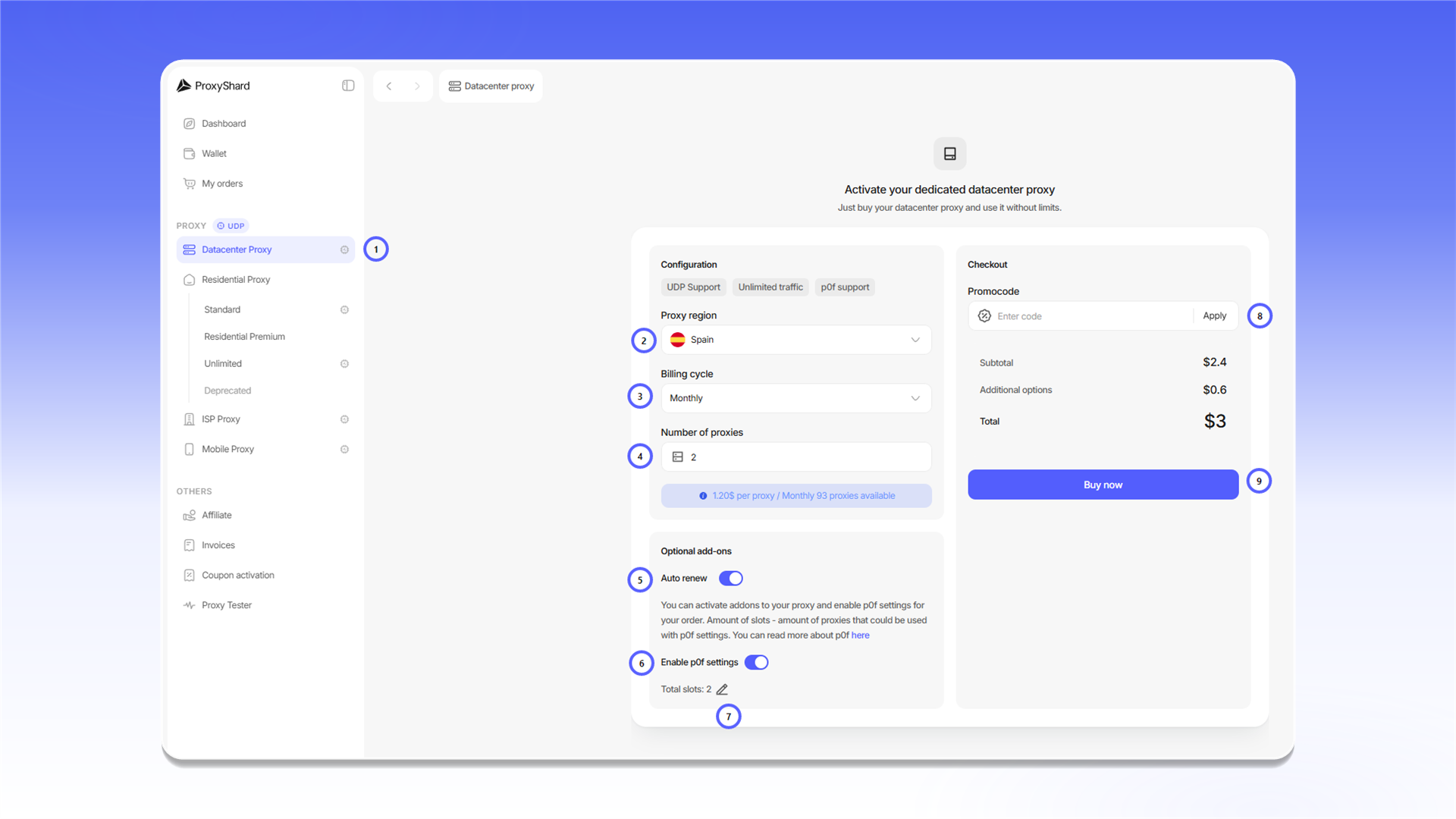
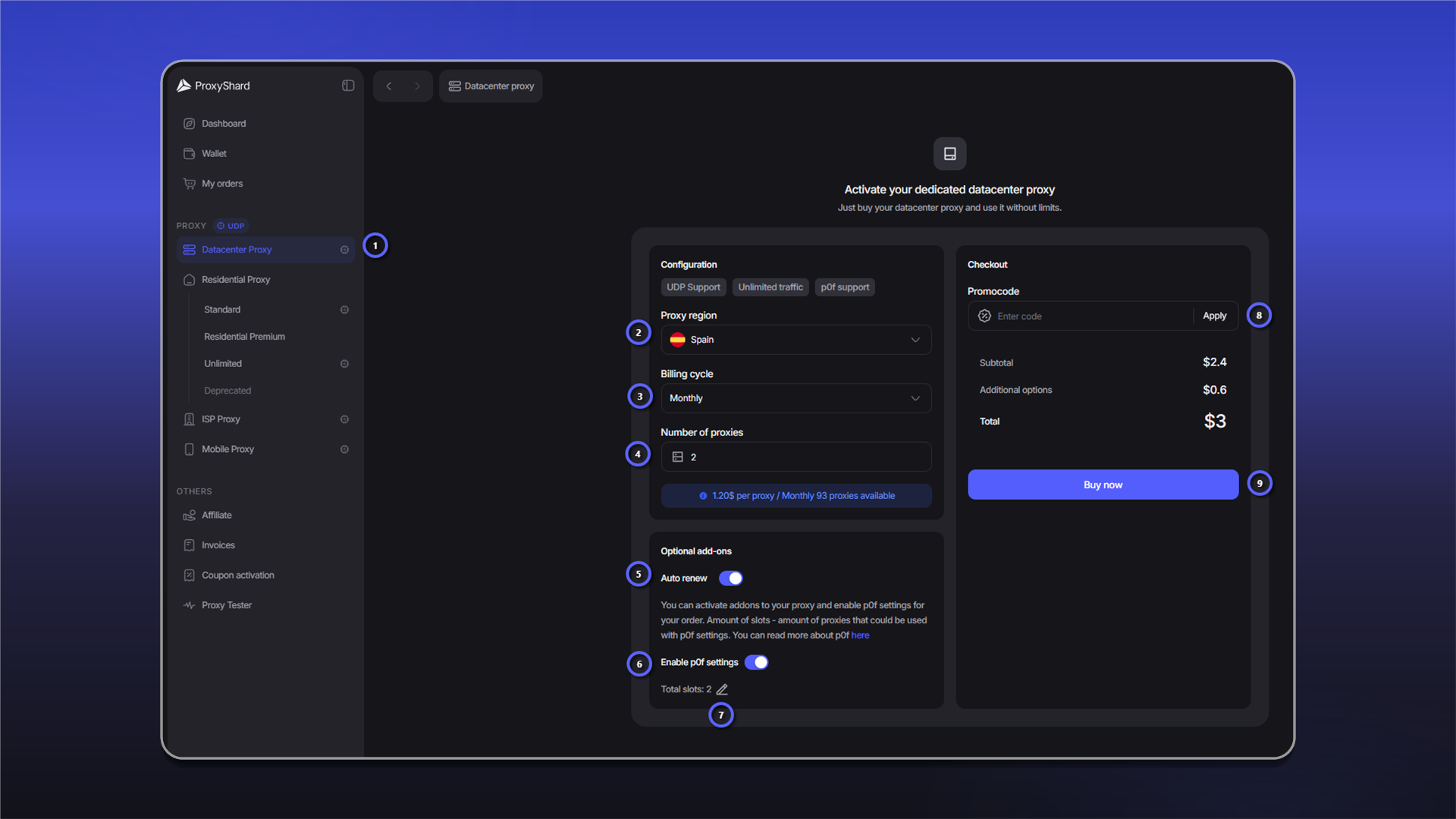
Payment and renewal are covered in Purchasing Datacenter proxies.
After payment, allow 1-2 minutes for the order to synchronize and the proxies to start working.
Order fields
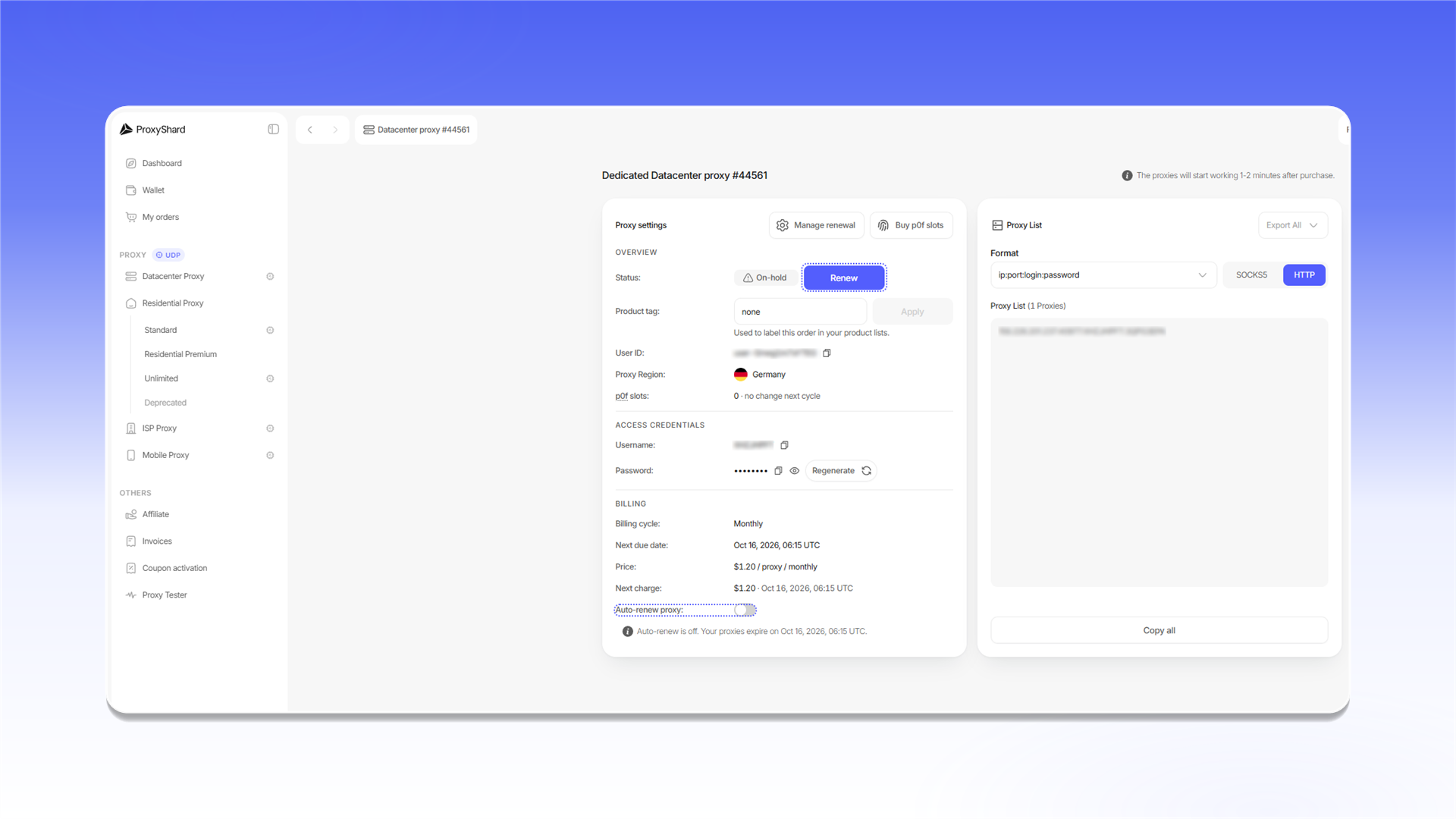
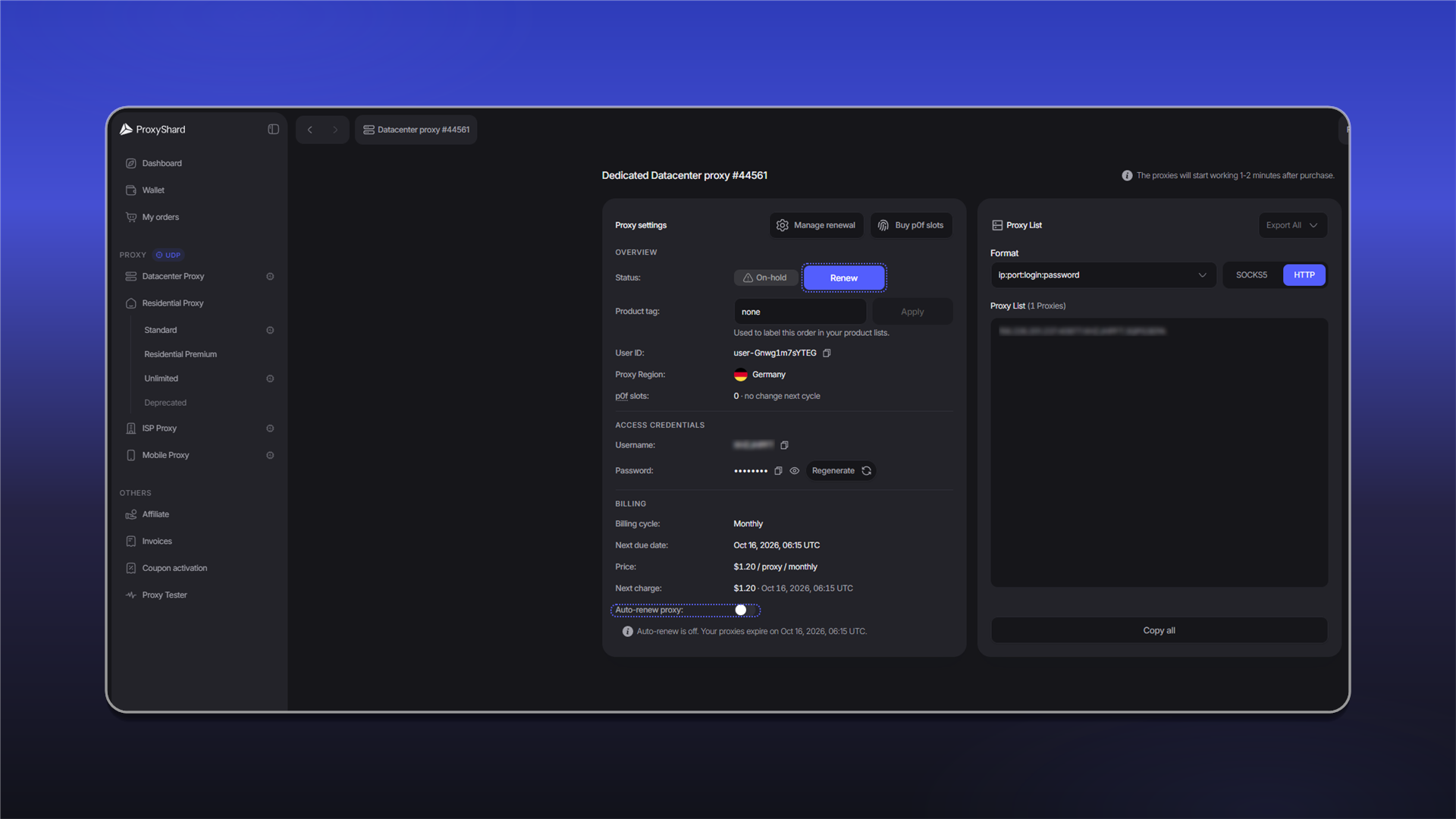
Statusshows the order state:Active,On-hold, orCanceled.Product tagadds a label that you can use to find the order in product lists.User IDidentifies the order internally and may be requested by support.Proxy Regionshows the selected country.p0f slotsshows the active p0f slots and the change scheduled for the next billing period.UsernameandPasswordcontain the credentials.Regeneratecreates a new password, so existing proxy strings stop working.Billing cycle,Next due date,Price, andNext chargeshow the rental term and the next payment.Auto-renew proxycontrols automatic renewal. The same settings are available throughManage renewal.p0fandBuy p0f slotsopen the fingerprint settings and the purchase of additional slots.- In
Proxy List, you can selectHTTPorSOCKS5, change the proxy string format, copy the list withCopy all, or download it withExport All.
An order with the Canceled status cannot be restored. After the paid period ends, a monthly order remains available for renewal for three days. An order with a shorter billing period remains available for renewal for up to three hours. The order is then deleted, and neither the order nor the same IP address can be recovered.
Suitable use cases
Most crypto exchanges, Polymarket and platforms, mass web scraping of simple sites, fast collection of public data, availability and uptime checks, SEO scraping, price monitoring on weakly protected sites, load testing of your own systems, scraping catalogs and directories, API request automation.
Pros and cons of Datacenter proxies
Pros:
- Wide channel in a Tier 4 data center with the lowest possible latency
- Static addresses, one user only - the IP does not change during the rental
- p0f and UDP support
- Low price - the most affordable option among all products
- Flexible rental periods - from 3 days to a month
- High stability and availability
Cons:
- Easily detected - major geolocation databases tag them DC / Hosting; this is normal and we don't hide it
- Not suitable for some platforms - certain resources block DC addresses outright (for example, the DePIN projects Grass and Gradient)
Use ISP proxies when you need to avoid these limitations.
See the setup guides for proxy configuration instructions.
Last updated on